1xBet Promo Code XPUMP Entry Guide
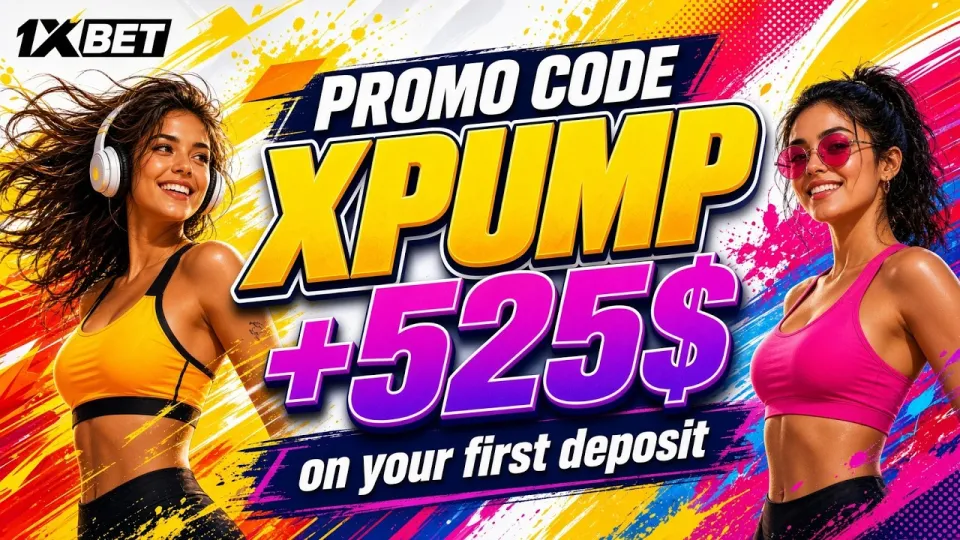
Video: 1xBet Promo Code XPUMP: Where to Enter It and How to Use It (Easy Guide)
· based on the channel Fenix Uk
The 1xBet promo code XPUMP is entered in the promo code field of the registration form (or later in the account's bonus section) and is designed to boost the first deposit by up to +525 USD. You activate it before or during registration, then make your first deposit and the bonus is credited according to the offer terms. The step-by-step route, the exact places where the field appears and the 1xBet bonus page with the XPUMP code are covered below.
What the 1xBet promo code XPUMP does
XPUMP is a welcome code: it unlocks an increased first-deposit bonus rather than giving free spins or a no-deposit reward. The offer promoted alongside the code is a bonus of up to +525 USD on the first deposit, which means the actual amount depends on how much you deposit and on the minimum qualifying sum set by 1xBet. The code works only once per player and only on a new account, so it belongs to the registration stage, not to ongoing play. Keep in mind that a bonus is not cash: the credited amount normally has to be wagered under the operator's bonus rules before any withdrawal, and the wagering conditions are shown in the bonus terms in your account.
Where to enter the promo code on 1xBet
There are two realistic entry points, and which one you see depends on how you sign up. The first is inside the registration form itself: 1xBet asks new users whether they have a promo code, and a field appears where XPUMP is typed before the account is created. The second is the account area after registration, where a bonus or promo code section lets you attach a code to your profile before the first deposit. In practice, entering the code during registration is the safer route, because it removes any doubt about whether the code was applied before the deposit. If you register through a partner or bonus page, the field is often pre-filled, and you only need to confirm that XPUMP is visible before submitting the form.
Step-by-step activation of XPUMP
Activation is a short sequence, but the order matters more than the individual clicks.
- Open the 1xBet registration form and choose your sign-up method (one click, phone, email or social network).
- Find the promo code field, tick the box confirming you have a code if one is shown, and type XPUMP exactly, in capitals, without spaces.
- Complete registration and log in to the new account.
- Open the deposit page and make your first deposit, meeting the minimum amount required for the welcome bonus.
- Check the bonus section to confirm the bonus has been credited and read the wagering requirements attached to it.
If the code field was missed during registration, go to the account's bonus or promo section, enter XPUMP there and save before depositing. Do not deposit first and look for the field afterwards: the welcome bonus is tied to the first payment, and once that payment is processed the code generally cannot be applied to it retroactively.
Common problems with the XPUMP code
Most failures come down to timing or typing. A code typed in lowercase, with a space, or with a letter swapped will be rejected as invalid, so copy it rather than retyping it from memory. A code entered after the first deposit has already been made will usually be refused, because the welcome offer is consumed by that first payment. Players who already hold an account cannot attach a new-player code to it, and creating a second account to reuse XPUMP violates 1xBet's terms, which can lead to the bonus being cancelled and the account restricted. Currency and country also matter: the size of the bonus is displayed in the account currency, so the local equivalent of the +525 USD headline figure will differ, and some jurisdictions restrict bonus participation entirely. Finally, if the code was accepted but no bonus appears, check whether the deposit met the minimum amount and whether the bonus needs to be claimed manually in the bonus section.
How to check that the bonus was applied
The confirmation is visible in the account, not in the registration form. After the first deposit, open the bonus or promotions area and look for an active welcome bonus entry showing the credited amount and its wagering progress. If the entry is missing, contact 1xBet support before placing further bets and provide the code XPUMP, the deposit time and the payment method, since support can verify whether the code was attached to the account. Do not start wagering a separate bonus while waiting for an answer, as overlapping offers can complicate the review. Screenshots of the registration form with the code filled in are useful evidence if a dispute arises.
Bonus link used in the guide
- 1xBet bonus page with the XPUMP promo code – the registration and bonus entry point referenced for the code.
Final thoughts on the XPUMP promo code
XPUMP is a first-deposit code, and its value depends entirely on being entered before the first payment is made. Type it in capitals in the registration form or the account's bonus section, deposit the qualifying amount, then confirm in the bonus area that the up to +525 USD offer is active and read its wagering terms. If anything looks wrong, raise it with support before betting further. This breakdown was prepared by the Fenix Uk channel, which published the short guide on where to enter XPUMP and how to use it. To register with the code in place, start from the 1xBet bonus page and check that XPUMP appears in the form before you submit it.
Key takeaways
- The promo code is XPUMP and it is entered in the promo code field of the 1xBet registration form or in the account's bonus/promo section.
- The code is tied to the first deposit, so it must be applied before money is credited to a new account.
- The advertised offer is a bonus of up to +525 USD on the first deposit.
- A promo code entered after registration or after a deposit usually cannot be added retroactively.
- One code per account: creating duplicate accounts to reuse XPUMP breaches 1xBet's rules.
Questions & answers
Do I enter the XPUMP code before or after registering on 1xBet?
Enter it during registration, in the promo code field of the sign-up form, or in the account's bonus section before making the first deposit. Applying it after the first deposit has been processed usually does not work, because the welcome offer is tied to that first payment.
How much is the bonus with the XPUMP code?
The advertised offer is up to +525 USD on the first deposit. The exact amount depends on your deposit size, the minimum qualifying sum and your account currency, and the credited bonus must be wagered under 1xBet's bonus terms before withdrawal.
The code was accepted but I see no bonus — what should I do?
Check that your first deposit met the minimum amount and look in the bonus section for an active welcome bonus entry. If it is still missing, contact 1xBet support with the code, the deposit time and the payment method before placing more bets.
Can I use XPUMP if I already have a 1xBet account?
No. XPUMP is a new-player code tied to the first deposit, so existing accounts cannot attach it. Opening a second account to reuse the code breaches 1xBet's rules and can lead to the bonus being cancelled.
Source: 1xBet Promo Code XPUMP: Where to Enter It and How to Use It (Easy Guide) · Markdown version